.svg)
By Alex, Founder of Ownprint · September 4, 2026 · 8 min read
Ownprint has always been built on seller feedback. It's not a slogan, it's literally how we decide what to build or improve next: your support tickets, your community posts, and all your suggestions and feature requests set the roadmap.
And if you're new here, or this is your first time hearing about Ownprint: we're a print on demand supplier. You design and sell under your own brand, and we produce and ship every order for you. You can see everything the platform does, function by function, on our print on demand jewelry platform page. And if you already sell print on demand t-shirts, mugs, or posters, here's why jewelry belongs in your store too.
This year, that feedback added up to the biggest set of improvements in our history. Around 150 updates shipped between January and August, and almost all of them chase one goal: making Ownprint just as easy for someone with zero technical knowledge as for a seasoned seller, while making the day-to-day experience better for the sellers already building with us.
In the early days, creating a product meant working across several tools at once: designing in an external editor, exporting, uploading, jumping between pages to get one product ready. It worked, but you had to be a bit technical and a bit patient.
Those days are behind us. Today everything happens in one place: design, edit, mockups, listing, pricing. Walking through all ~150 updates would be a very long read, so we picked the best ones: the changes that make the biggest difference in your day to day.
This was the biggest project of the year. We rebuilt the whole experience of creating products and getting them into your store, from the ground up.
It's now a guided flow with five clear steps and a progress bar at the top:
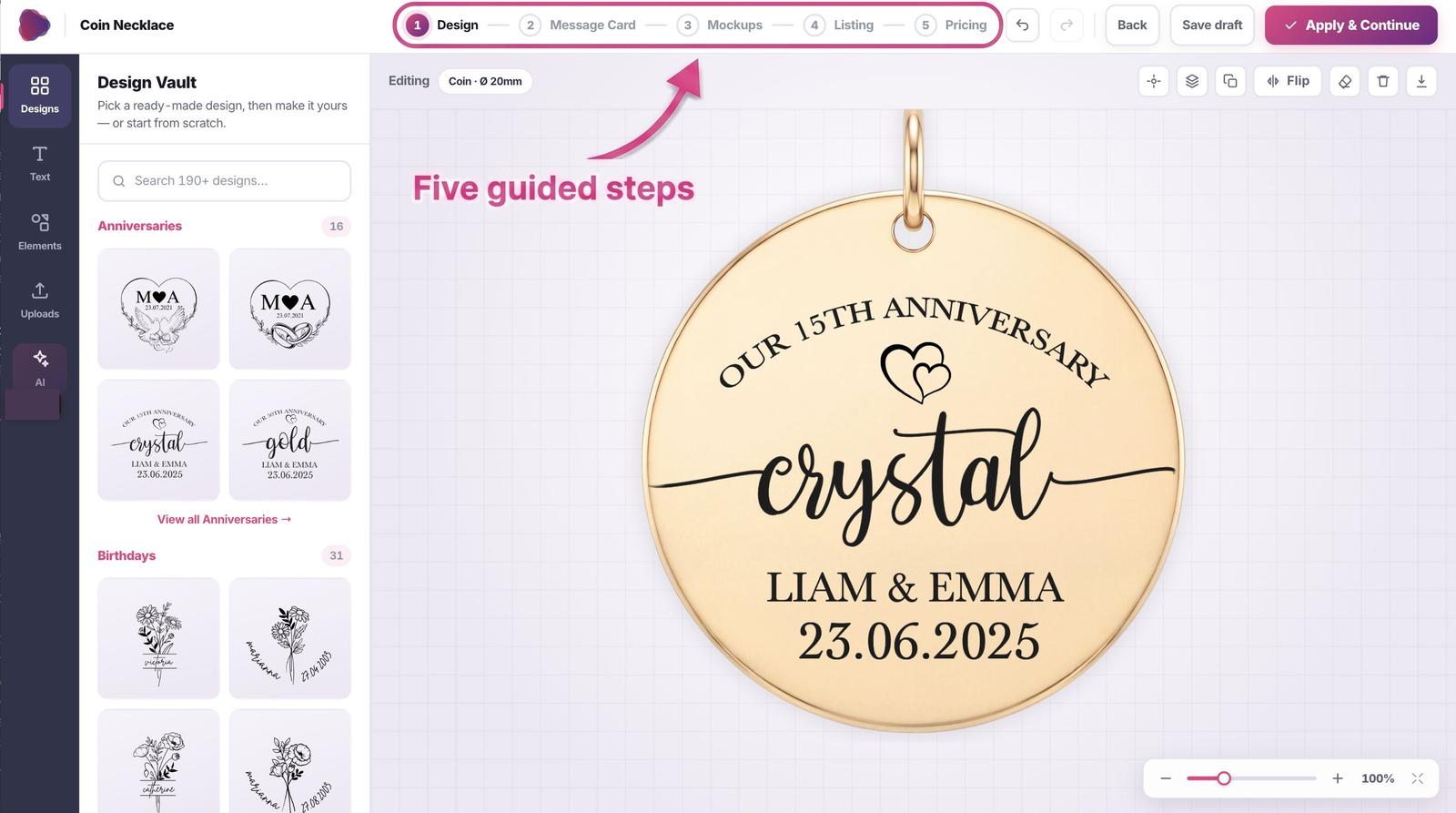
Every step remembers its state, so going back to tweak a design never loses work. Close the tab halfway through? The product is waiting on your My Products page, artwork included, thanks to auto-save every 30 seconds.
All seven jewelry shapes got purpose-built editors: coin, vertical bar, 3D bar, horizontal bar, heart, dog tag, and the men's leather bracelet charm. What you see on screen is what engraves on the metal.
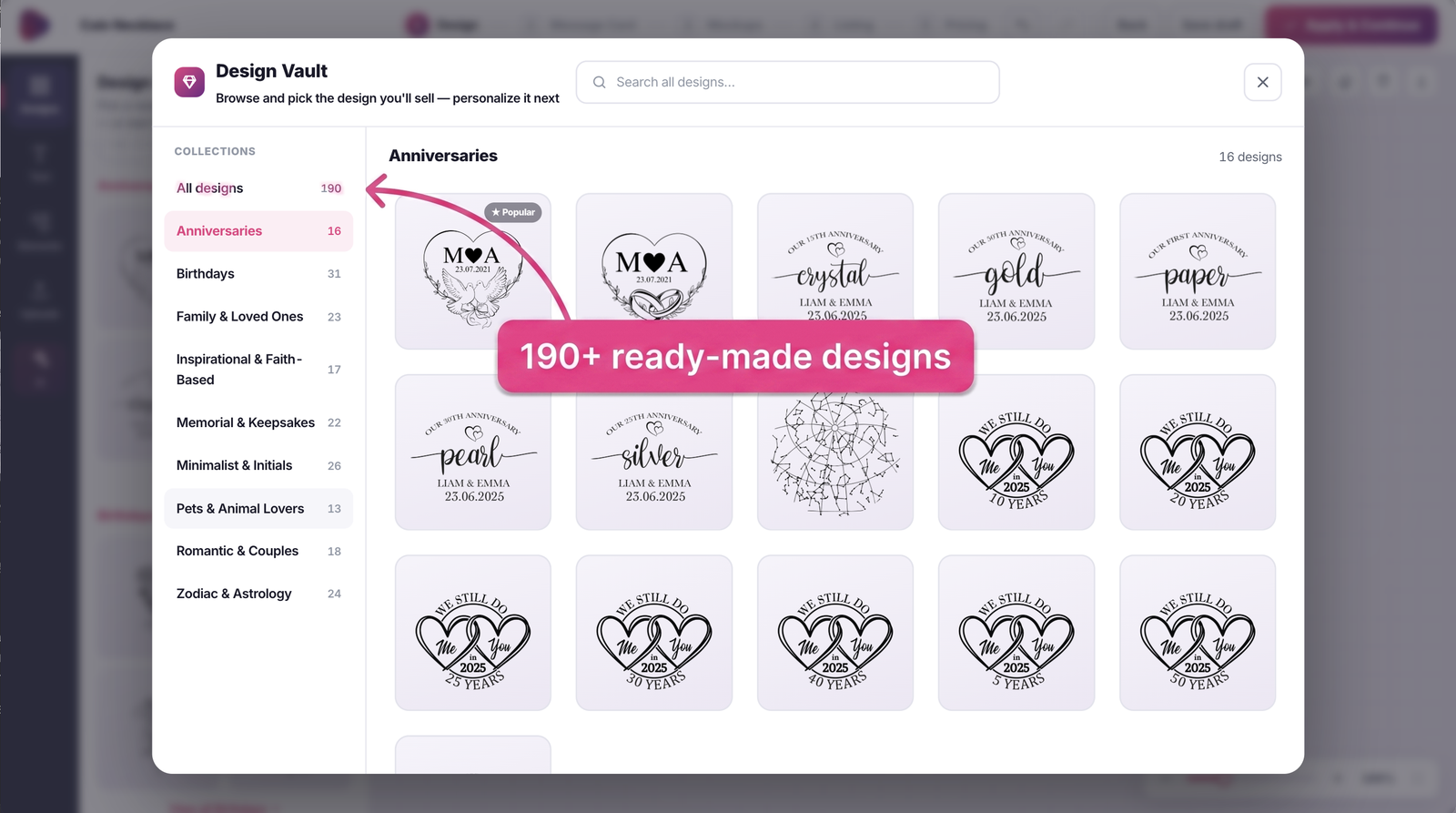
And you don't need design skills anymore. Every shape comes with ready-made designs (anniversaries, birthdays, pets, faith, memorial and more) and hundreds of decorative elements, plus background removal, an eraser tool, and AI design generation, all inside the editor. Use an existing design as it is, edit one to make it yours, or create something entirely unique with AI.
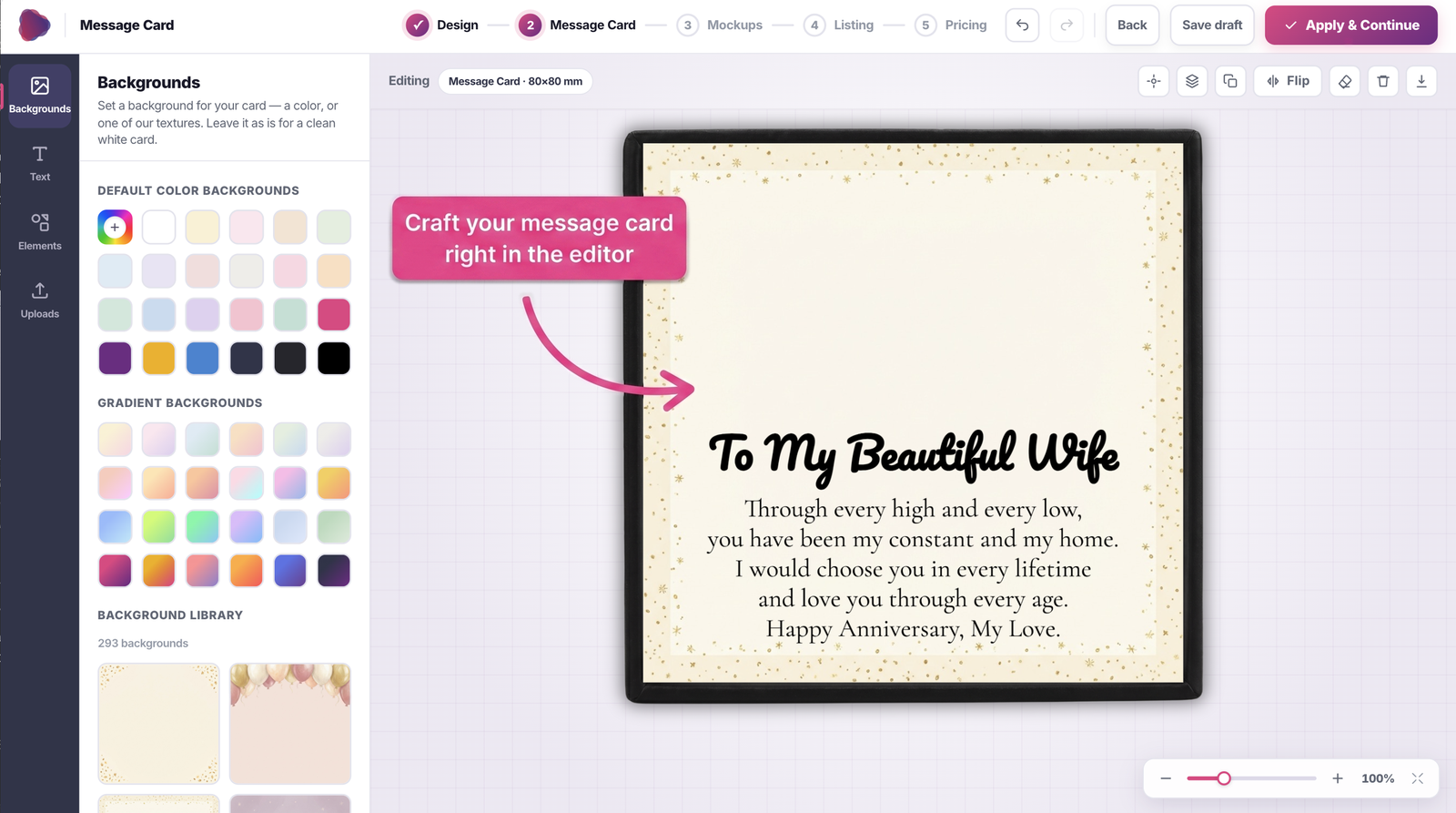
The message card is a bigger deal than it sounds. It's the note inside the gift box, the words your buyer chose for someone they love, and for personalized jewelry it carries a lot of the emotion of the gift.
Which is why we weren't happy with how making one used to work: you had to design your card somewhere else, in Canva or whatever design tool you use, export the file, and upload it to us. Your card lived on another platform, and every change meant going back there.
Now the card is its own step in the editor, and you design it right where your product is. Add your headings and text directly on the card, choose from hundreds of ready-made backgrounds, and if the words won't come, the AI writer helps you craft a heartfelt message that speaks to the buyer, based on the occasion and who the gift is for.
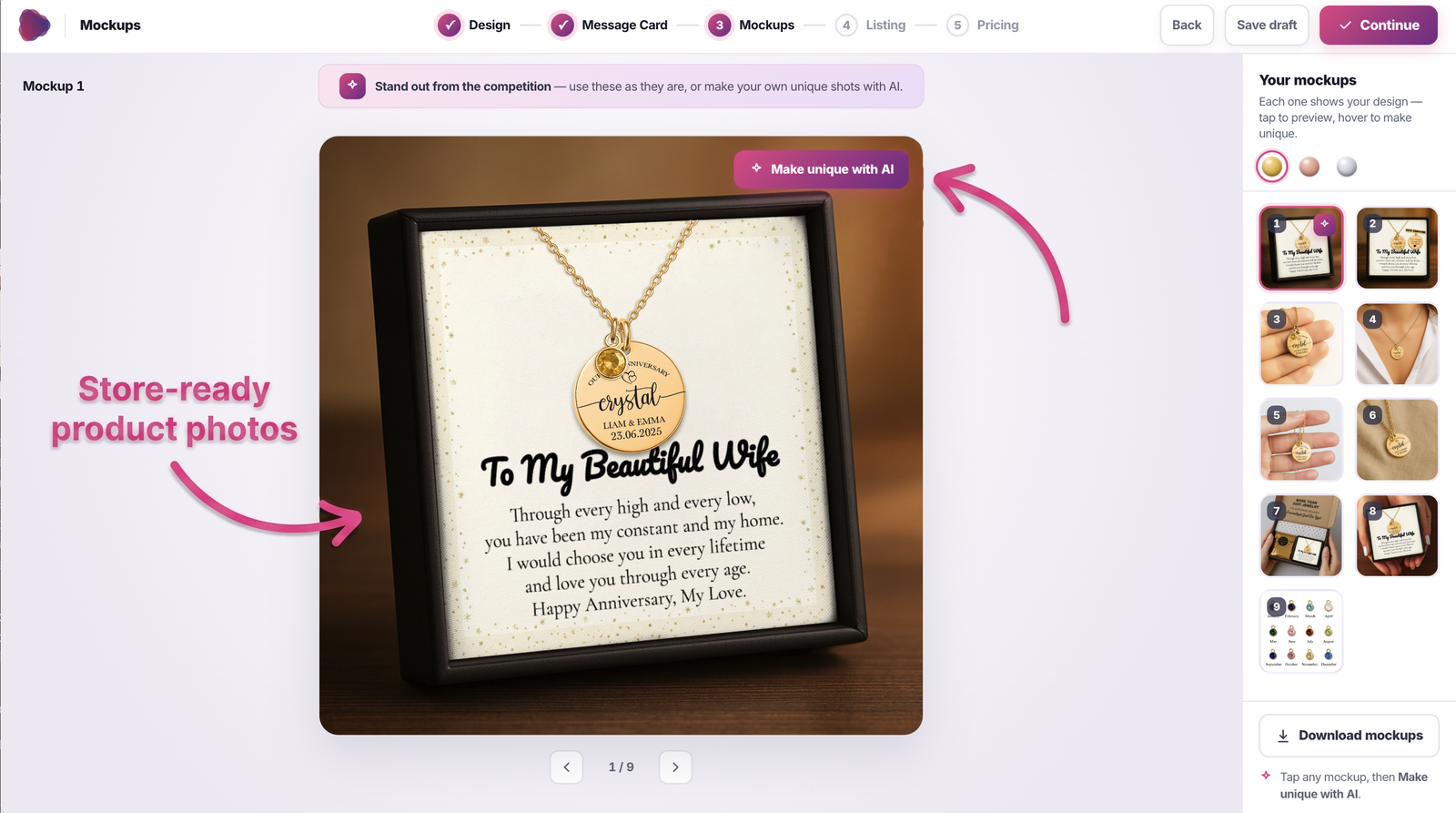
Nice product photos are half of what sells personalized jewelry, and they used to be a project of their own. You'd order a sample and wait for it, set up a camera, edit the shots, or pay someone to do all of that for you, for every single product.
So this year, the mockup studio became part of creating a product, as its own step. The moment your design is ready, you get store-ready photos of it in all three platings, styled and lit like they came from a studio shoot. Use them exactly as they are, straight to your store.
And when you want your listing to stand out from everyone else's, one click on Make unique with AI reimagines the whole scene while your design stays exactly as it is. It's the closest thing to having a photographer and an editor at your fingertips, for every product you create.
The draft system doesn't look like much, but it fixed one of the most painful problems we had. Before it existed, if anything went wrong mid-design, a closed tab, a browser crash, a failed publish, that work was simply gone and you started over. Now everything you design saves automatically, and the new My Products page shows it all in one place: published products with a direct link to the live listing, works in progress, and drafts.
You can re-open and update a published listing (it refreshes on your store within about a minute) and clone any product as a starting point for the next one. Iterating on a bestseller takes minutes instead of rebuilding from scratch.

This is one of the things we're most proud of, and it now works on both platforms.
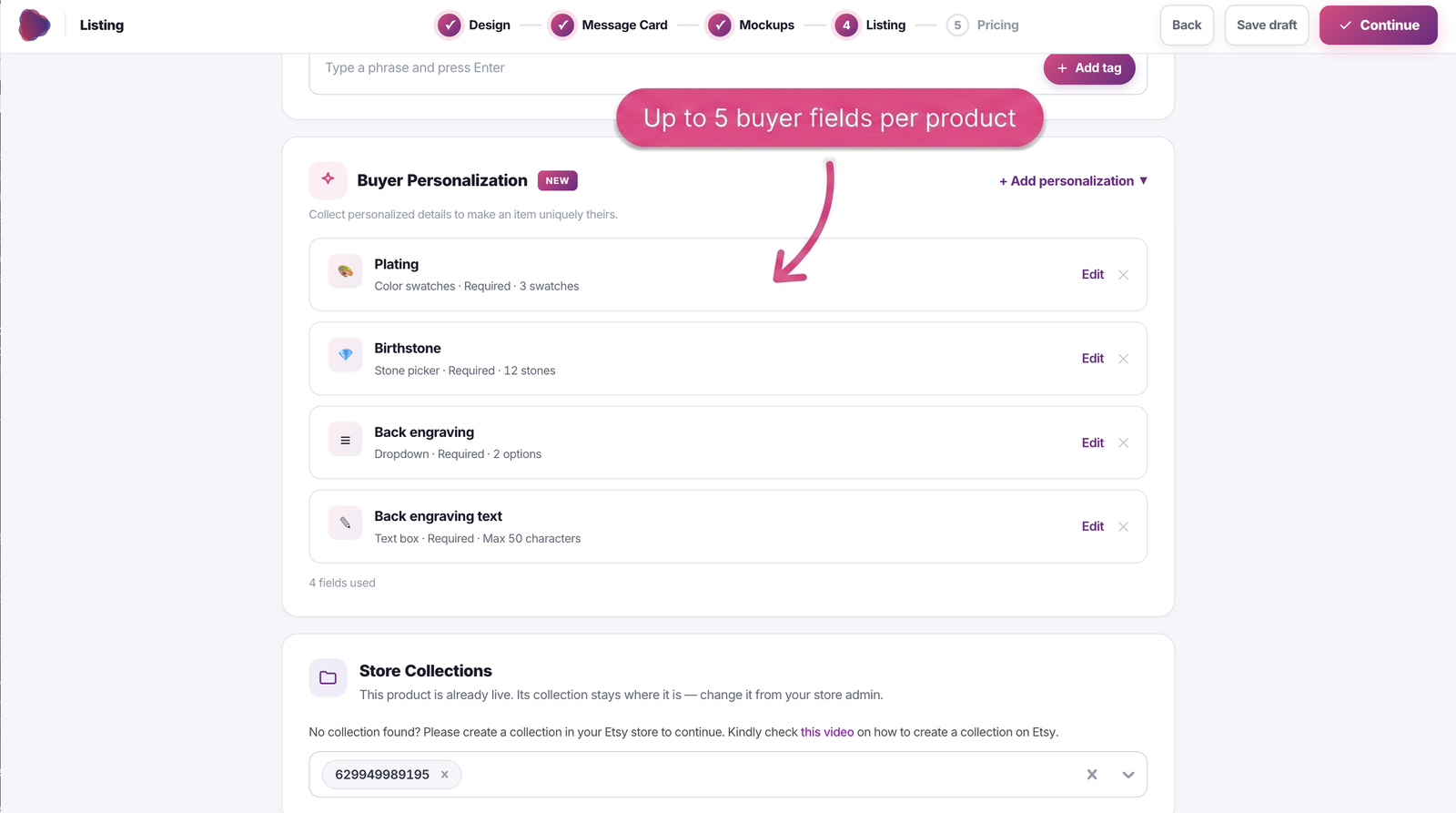
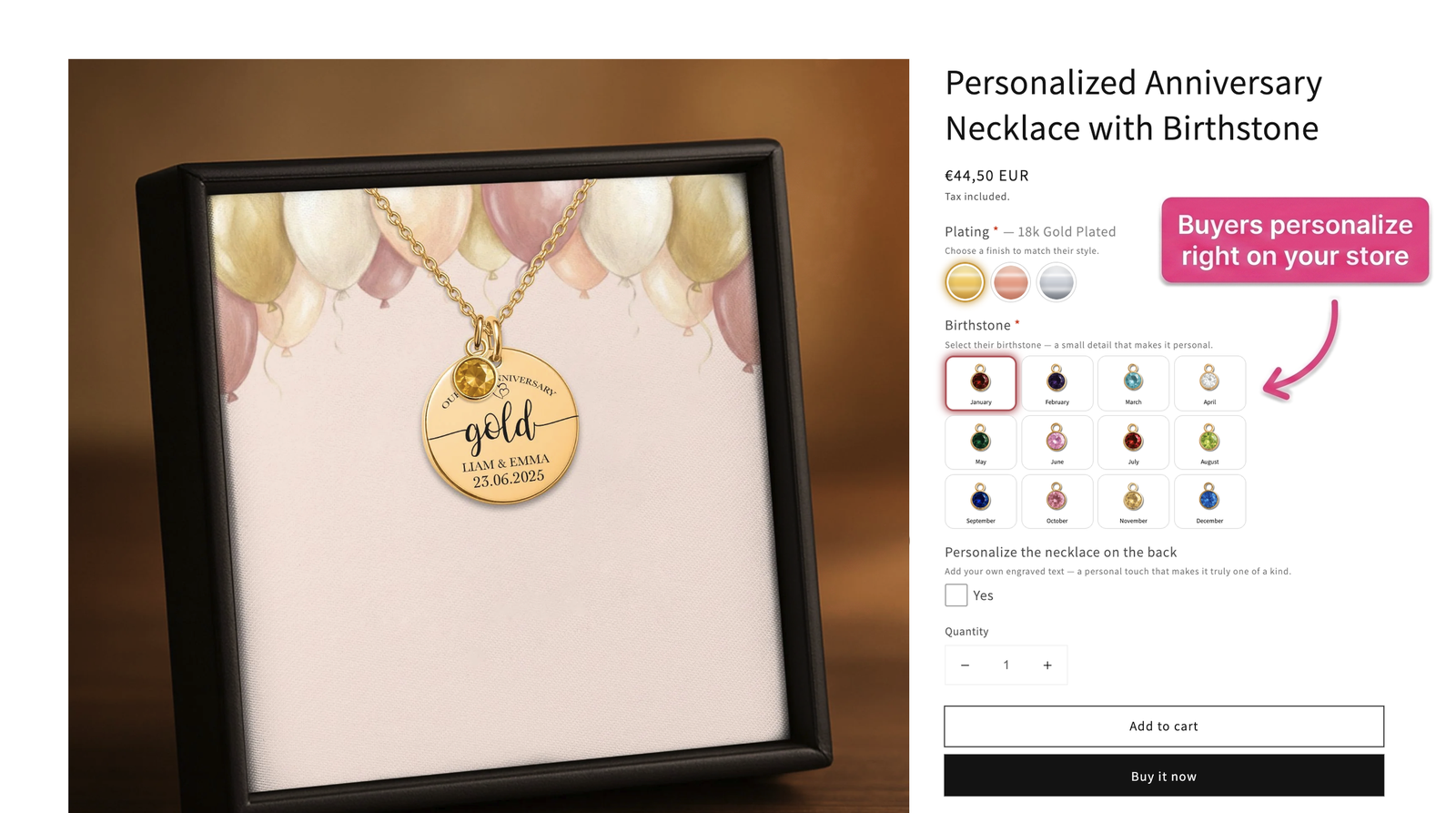
On Shopify, collecting personalization used to mean installing a third-party app, usually with its own monthly fee, and configuring it yourself. Now everything happens through our platform: our theme extension lets your customers personalize their jewelry directly on your product page, with plating swatches, a birthstone picker, back engraving with live price updates, and photo upload. No third-party apps, no extra subscription, and it's one click to enable from your Stores page. For free.
On Etsy, buyer personalization got a real upgrade too: Etsy now allows multiple personalization fields beyond a single text box, and we've implemented exactly that, so your Etsy buyers can fill in several personalization details and everything syncs straight to the order.
The Shopify personalization block is also available in 10 languages, and the right one is selected automatically based on your theme's language. So if you sell in German or French, the fields collecting personalization details show up in German or French, no setup needed. And like most of what's on this page, that came straight from seller feedback.
First, in case you heard otherwise from an old video somewhere: Ownprint connects to Etsy natively, and has since late 2023. You link your shop once, publish products straight from the app, and orders sync automatically. No third-party apps, no middleware, no manual pushing.
Beyond that, we know a big part of success on Etsy is making sure your listings actually show up when buyers search. That's why we built AI listing optimization, which rewrites your title, description, and tags for visibility in one click. It's a serious head start, and it works best when you pair it with knowing your audience, who you're selling to and what moments they're buying for.
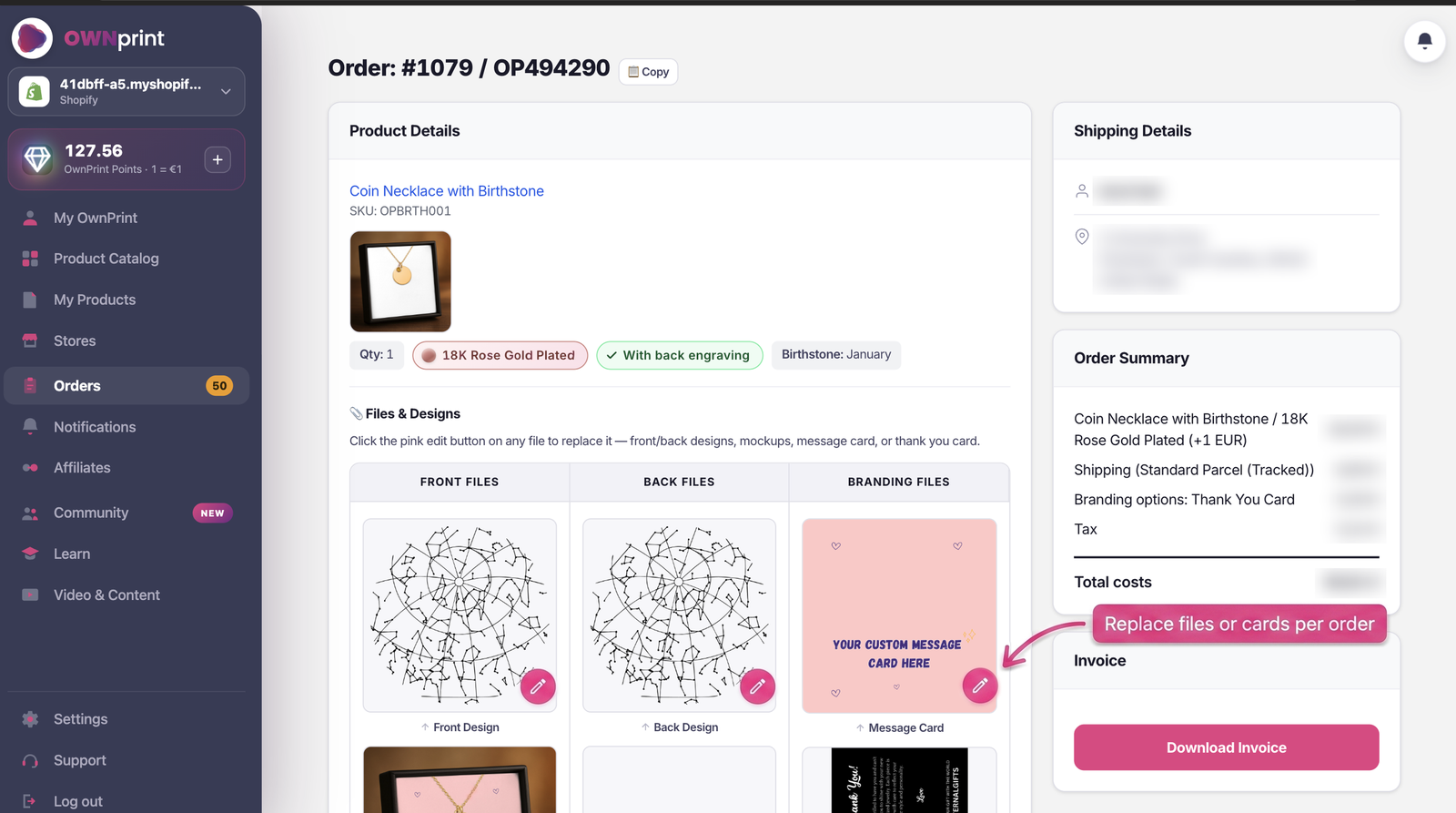
Running your orders got easier across the board:
Payments got friendlier too. Once you're getting more than a couple of orders a day, paying for each one separately gets old fast. That's exactly why we added the Ownprint Points top-up. You load your balance once, and from then on your orders check out in seconds, with no payment step at all. And when you do pay directly, there's a cleaner checkout flow with credit or debit card, PayPal, and iDEAL or Bancontact if you're selling from the Netherlands or Belgium.
On production: we still aim for 2 to 5 business days, same promise as always. But the process improved so much this year that some orders now go through production and are ready to ship the very same day. Not a promise, just a sign of how much smoother everything runs now.
A big part of this year went into fixing the small daily annoyances:
And we're not done listening. Almost everything you've read on this page started as seller feedback: a suggestion, a request, something that felt harder than it should be. This year alone, seller suggestions also brought two premium pieces into the catalog, the leather bracelet and the mother-of-pearl bracelet, and more of your most-requested ideas are in the works.
So whether it's a product your customers keep asking for, or something you need to make your own day easier, tell us. Every message like that genuinely helps decide what we build next.
The app got easier, and so did learning it. There's now a video tutorial for basically every function in the Learn library, a full Academy of free lessons on YouTube, plus a free beginner masterclass if you're starting from zero. The FAQ grew into a genuinely comprehensive resource that we update every time something changes.
And if you still get stuck, support knows the app inside out and answers fast. The goal is simple: you should never lose a day of selling because you couldn't figure something out.
I won't walk you through all ~150 updates we shipped this year, most of them are the small, boring kind: one less click here, a page that loads faster there, an error message that actually tells you what to do. But that's exactly the point. Making the app easy isn't one big feature, it's a hundred small annoyances removed, one by one.
We also spent real time on foundations you'll never see: faster loading, a lighter app, better tooling for the team. Boring on purpose, and worth it.
Ownprint stays what it's always been: a free print on demand supplier, no subscriptions, no monthly fees, where you only pay when you sell. Print on demand jewelry products you can design and publish in minutes, produced in 2 to 5 business days, shipped from our EU and US facilities, with a community of over 2,900 sellers building alongside you. Some of them shared their numbers on camera in our seller success stories.
The difference is that now, whether you've run five stores or never touched a design tool in your life, the app meets you where you are.
Thank you for every piece of feedback this year. Keep it coming, it works.
Warm regards,
Alex & your friends at Ownprint

Create and sell unique and high-margin print on demand jewelry products faster, cheaper, better.
START TODAY
Untapped, yet highly profitable. The most
unique pod products on the market

We help you grow your business by fulfilling your orders faster than ever