.svg)
By Alex, Founder of Ownprint · Last updated September 7, 2026
Alex founded Ownprint and works on the platform, and with its sellers, every day.
Ownprint is a free print on demand jewelry platform. You design engraved necklaces, bracelets, and keychains, sell them under your own brand on your store or marketplace, and we produce and ship every order directly to your customers, from our own facilities in the EU and the US. We're the software and the print on demand supplier in one, with no middlemen between your store and the factory. There's no inventory to buy, no subscription, and no monthly fees. You only pay when you sell.
This page is the full tour of what the platform does today, function by function. We update it every time something new ships. For the story of how it got here, read everything we improved in 2026 so far.
Why should you care?
If you already sell print on demand, here's why jewelry is worth your attention: a typical print on demand product, like a t-shirt, a mug, a poster, or a canvas print, leaves you a few dollars of profit per sale. Personalized jewelry typically leaves $25 to $40. It's the same designing, listing, and marketing you'd be doing anyway, just with a lot more left over per sale. If that's you, we wrote out the whole case, product by product: why to add print on demand jewelry to the store you already have.
And if you're looking for a side hustle, an online income, or your first real business: this is one of the few models where starting costs nothing. No inventory, no subscription, and no upfront risk. The rest of this page shows you the whole machine you'd be working with. Curious already? You can start free here.
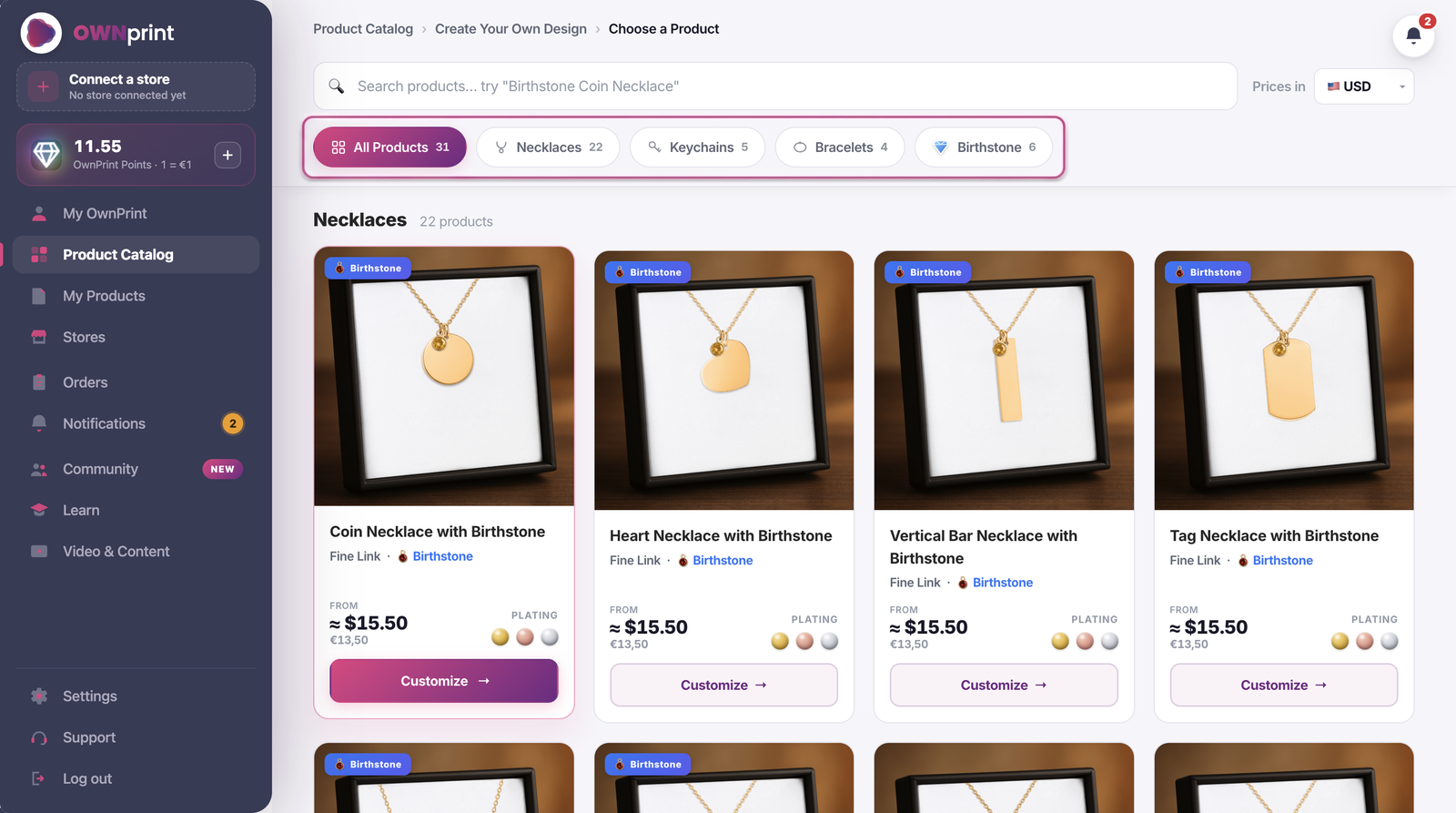
Everything starts with where your customers are, so that's where we started too.
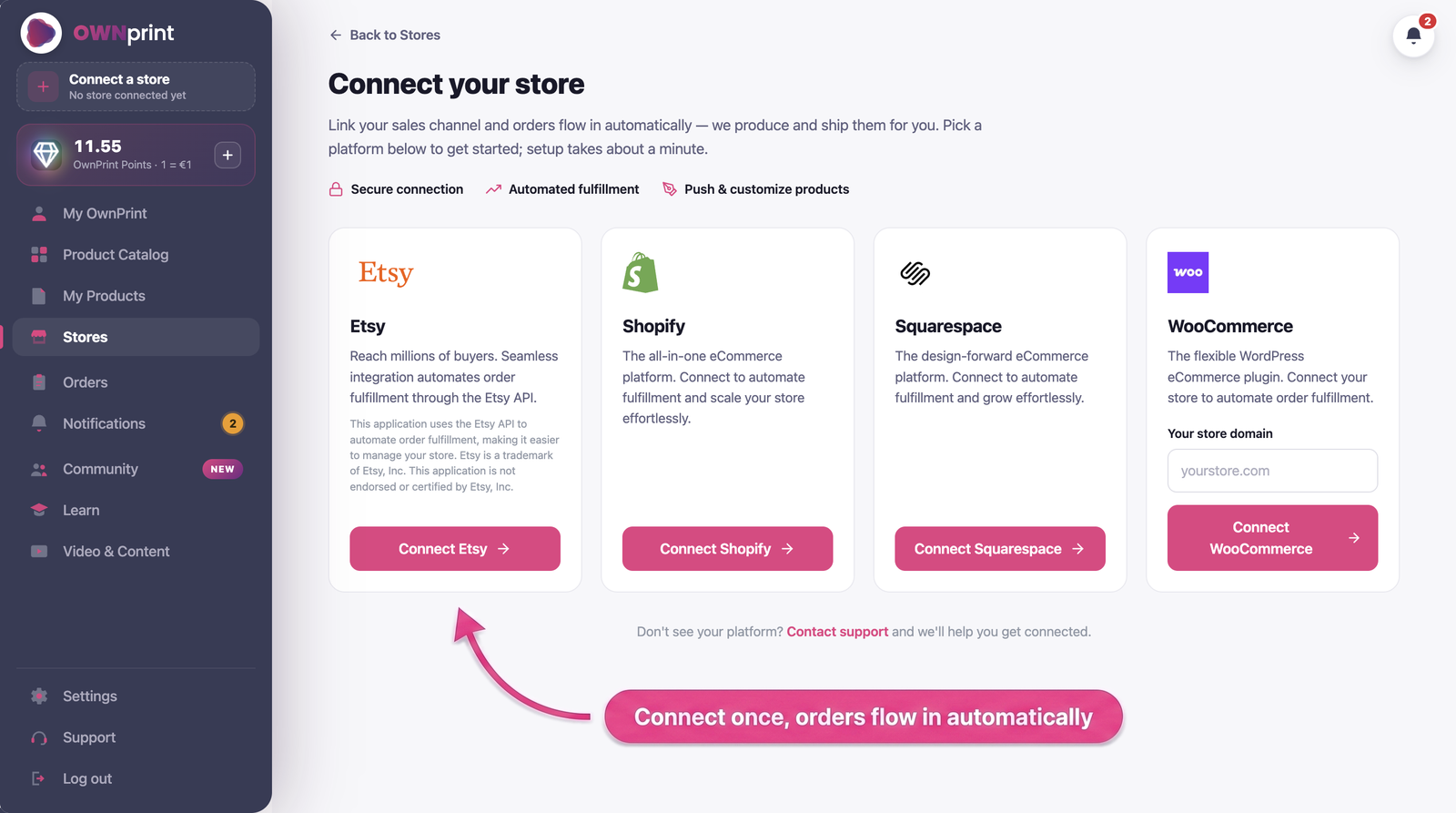
The catalog holds 31 products across six engravable shapes: coin, heart, tag, horizontal bar, vertical bar, and 3D bar. They come as necklaces, keychains, and bracelets, and for the necklaces you also pick the chain style: cable, Cuban, or Paperclip. Every piece can be fully personalized by your buyers, on the front and the back. Six products come in birthstone versions, and there are two premium pieces, the Engraved Men's Leather Bracelet and the Pearl & Gold Coin Bracelet.
And every order arrives as a complete unboxing experience under your brand: the jewelry in a gift box that can be personalized with your logo, wrapped in foil inside a kraft outer box, with a message card you can customize, a customizable thank you card, a complimentary handmade wax melt wrapped in gold foil, and a cleaning cloth. The kind of unboxing buyers love to film and share with their friends.
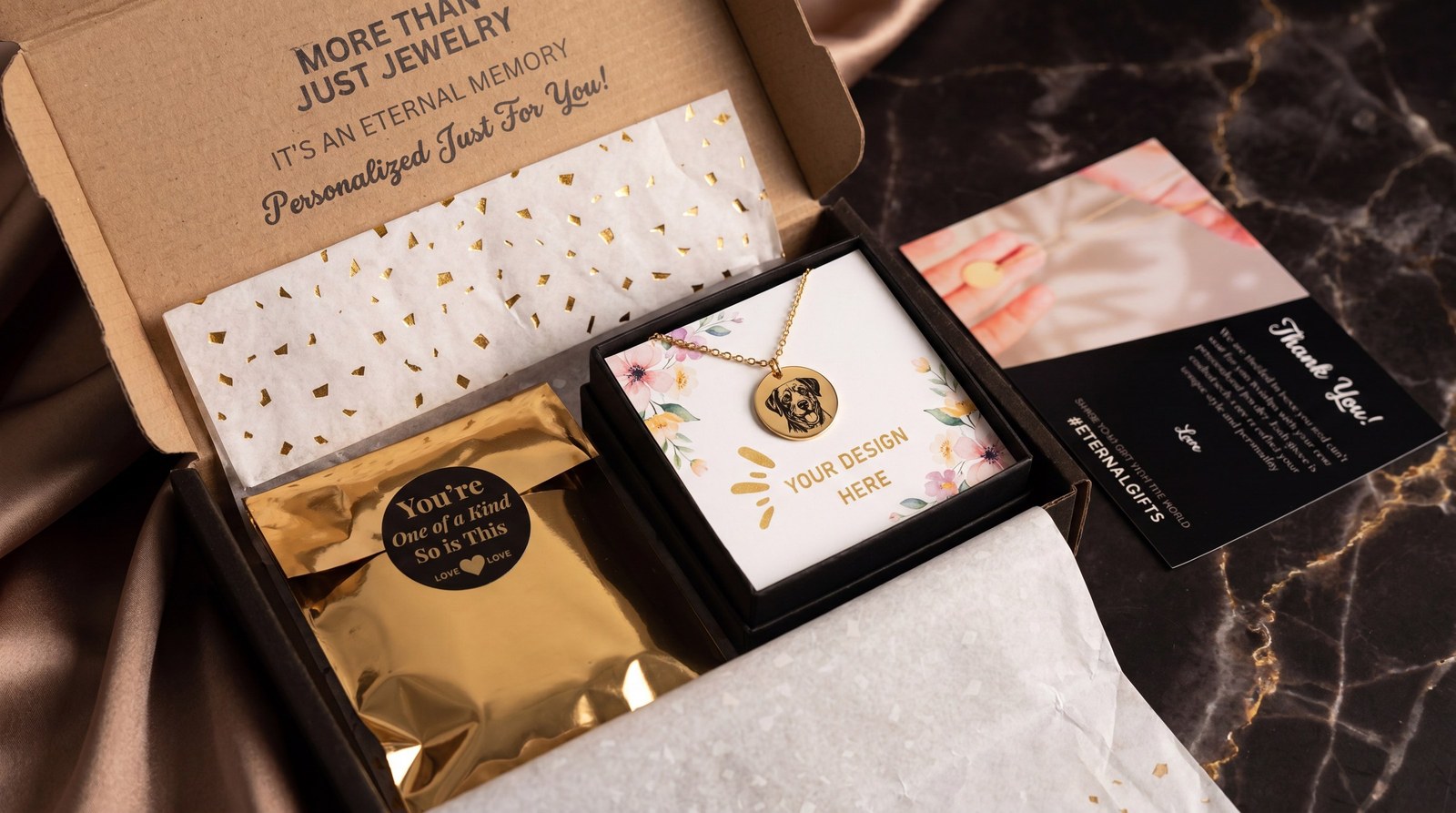
The best way to understand the unboxing is to watch it. This video is from when we introduced the current packaging, and it shows the old unboxing next to the new one:
Everything is made from 304L stainless steel with 18k gold or 18k rose gold plating: a skin-friendly, jewelry-grade steel that's water-resistant and built for daily wear. Birthstones are precision-cut glass crystals in birthstone colors, and all materials are REACH compliant. What goes on the metal is precise laser engraving, permanent black, front and back on nearly every product.
Browse the full catalog of print on demand jewelry.
This is where you'll spend most of your time, so we rebuilt it in 2026 as a guided flow: Design, Message Card, Mockups, Listing, Pricing, with a progress bar at the top and auto-save every 30 seconds. Here's what each step actually does.
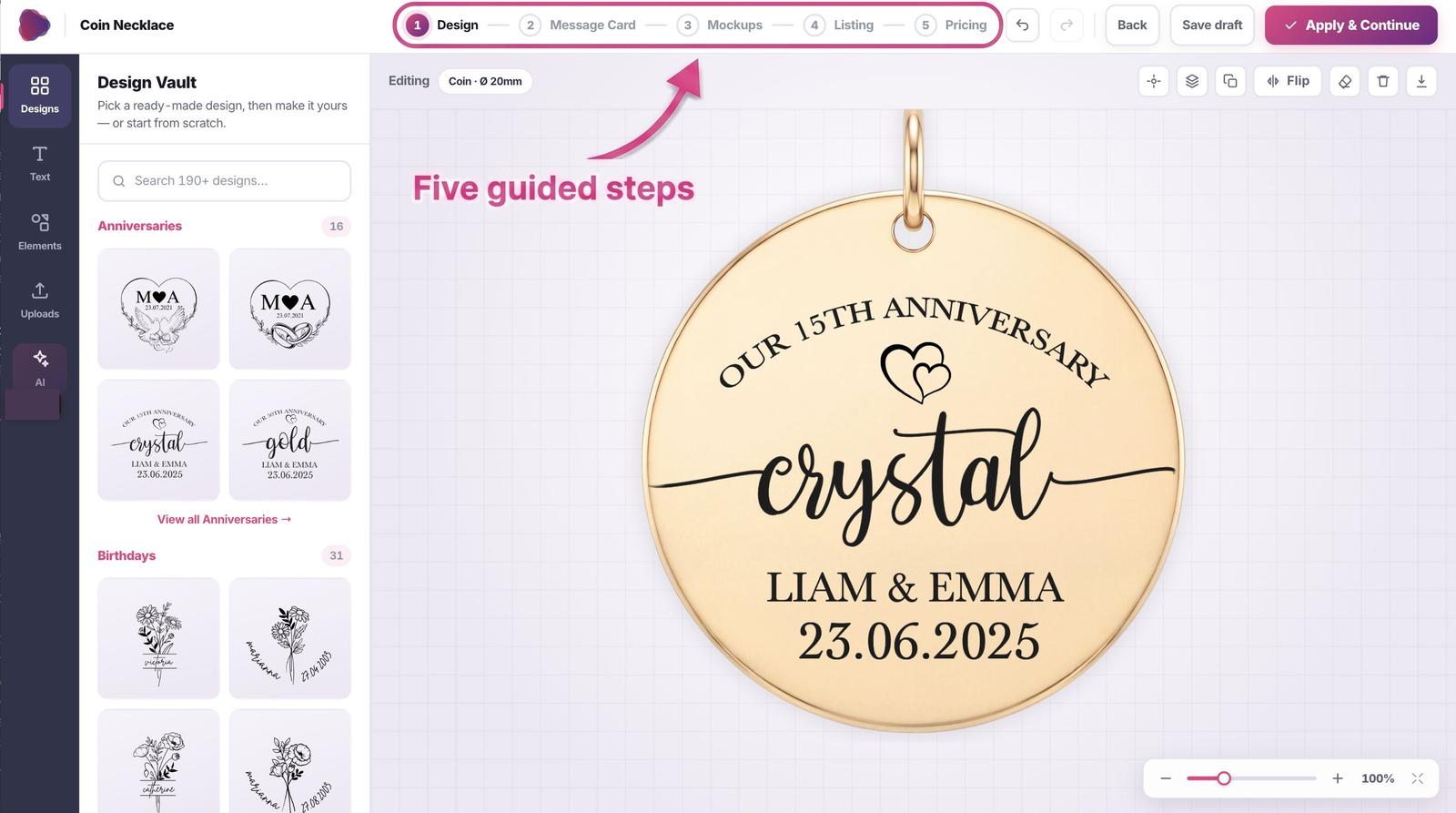
Design. Drag and drop your own artwork onto a canvas that shows the real charm size and the exact engravable area, so what you see on screen is what engraves on the metal.
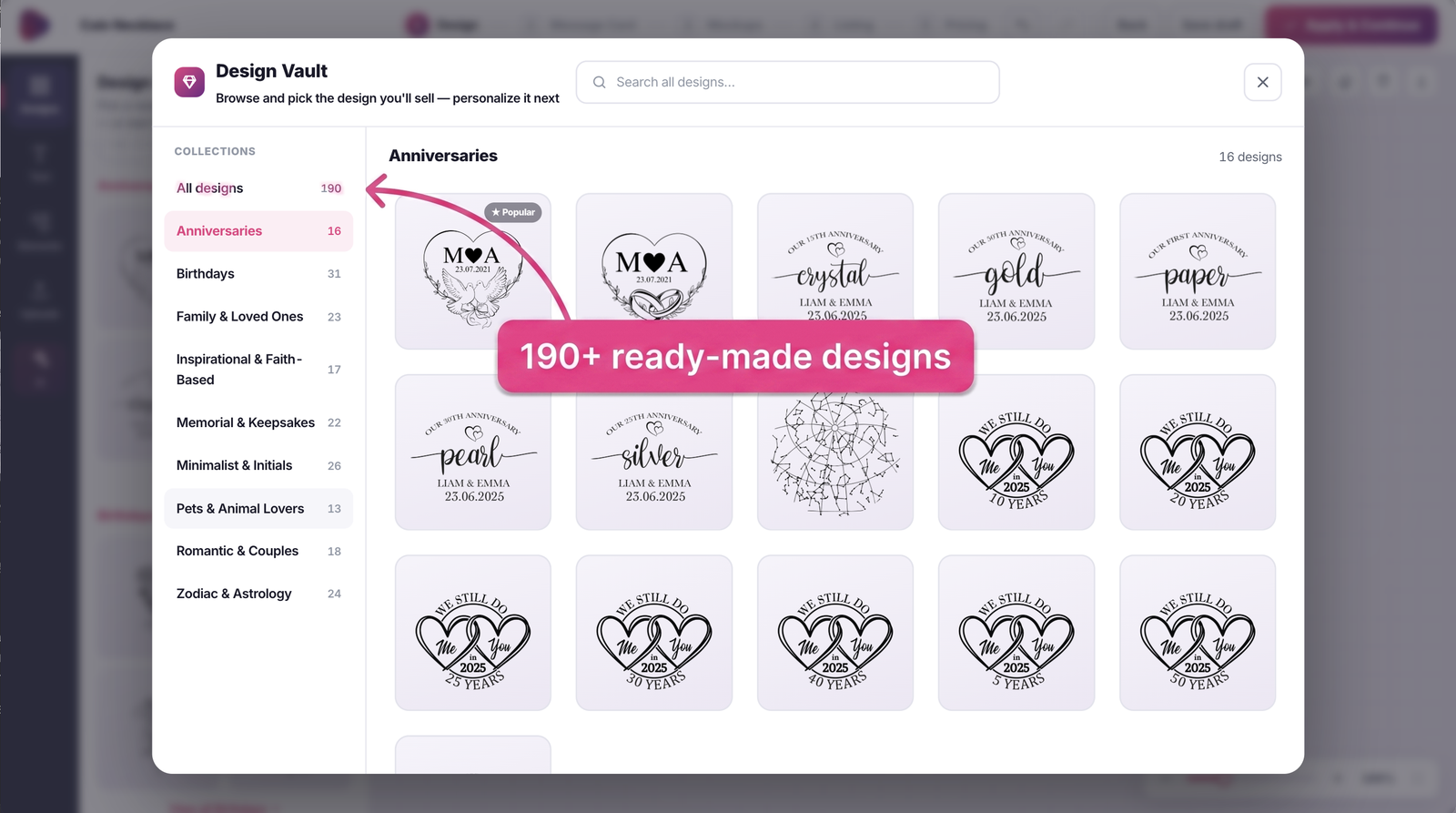
And if you don't have any design skills, don't worry, you won't need them. The Design Vault gives you 190+ ready-made designs organized by occasion, from anniversaries and birthdays to pets, faith, and memorial pieces, plus 540 decorative elements to dress them up. There's an eraser tool, one-click background removal, and photo transforms that turn any photo into line art, a sketch, or pixel art ready for engraving. Basically, everything you'd normally open Canva or another design app for is built right into Ownprint. And when you want something nobody else has, type a prompt and the AI design generator creates something unique, fitted to the shape, background already removed. And two tools we're especially proud of: the star map generator engraves the sky exactly as it looked on a chosen date and place, and the language converter writes names in Greek, Cyrillic, Arabic, Hebrew and more, so any alphabet engraves.
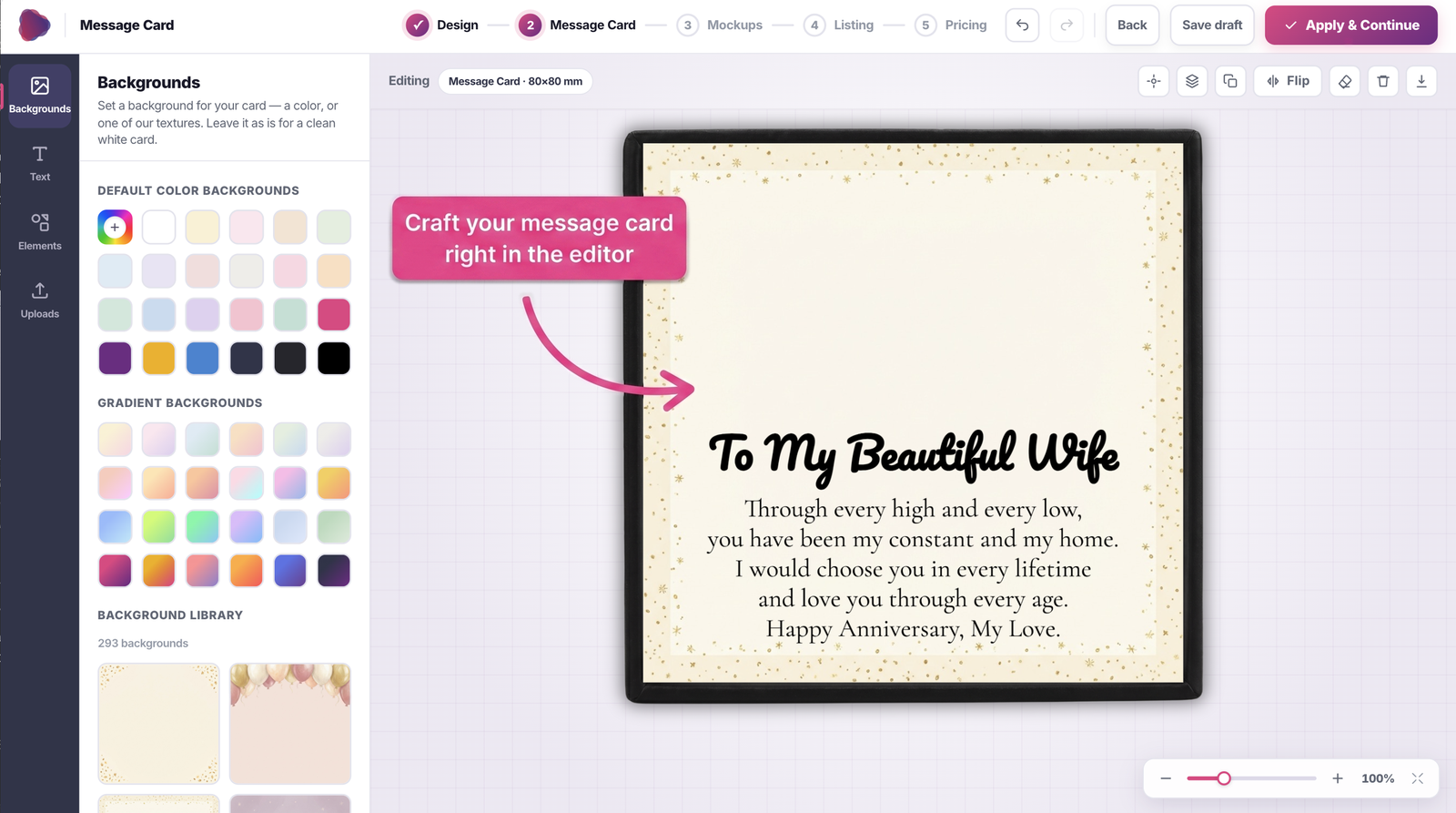
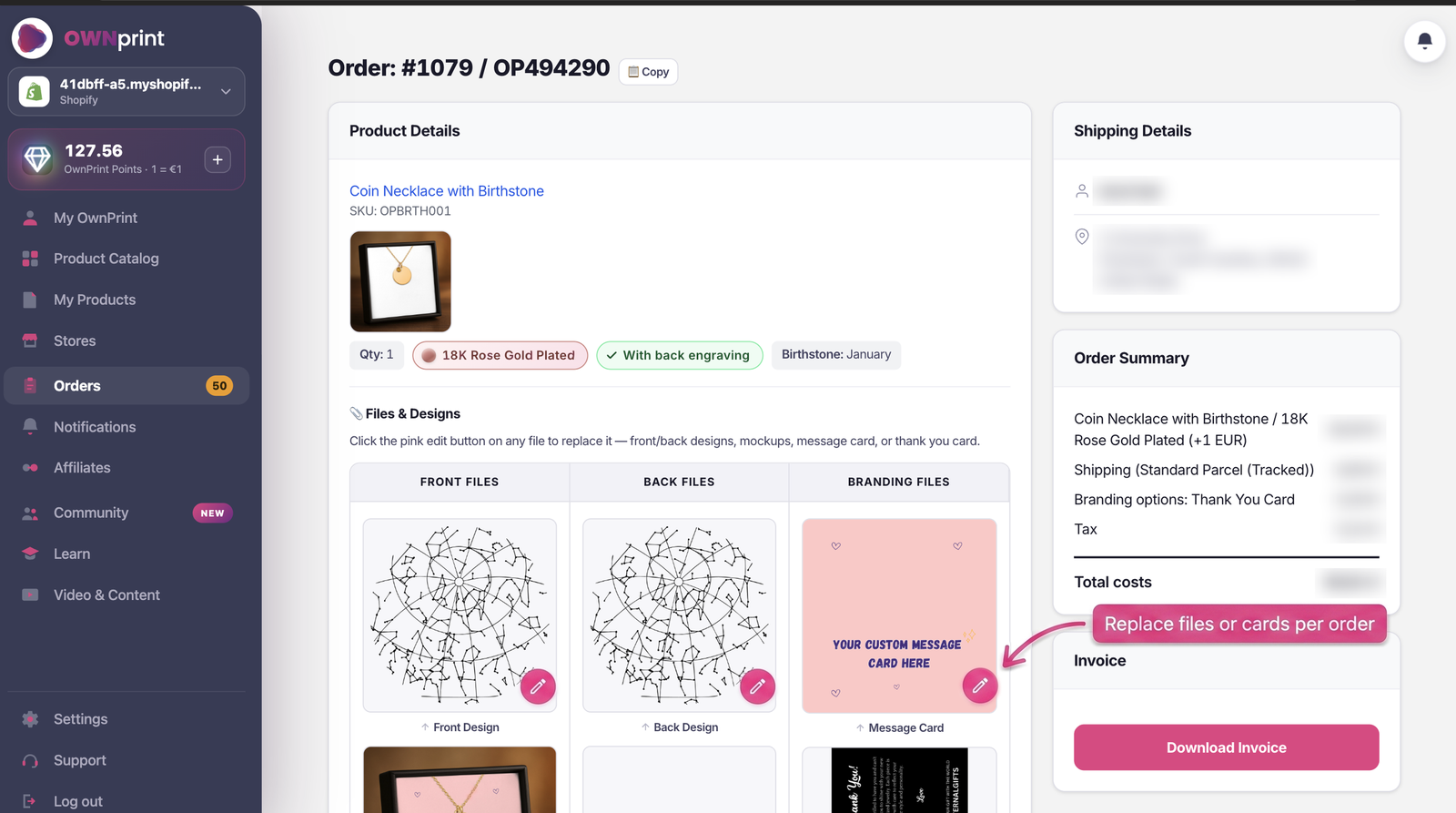
Message Card. Every order includes a message card inside the gift box, and it matters more than it sounds: it's the note with the words your buyer chose for someone they love, the part of the gift that carries the emotion. You design it right in the editor: your own headings and text on the card, hundreds of ready-made backgrounds, and an AI writer that drafts a heartfelt message from a few prompts about the occasion and who the gift is for. Cards can also be swapped on any individual order later.
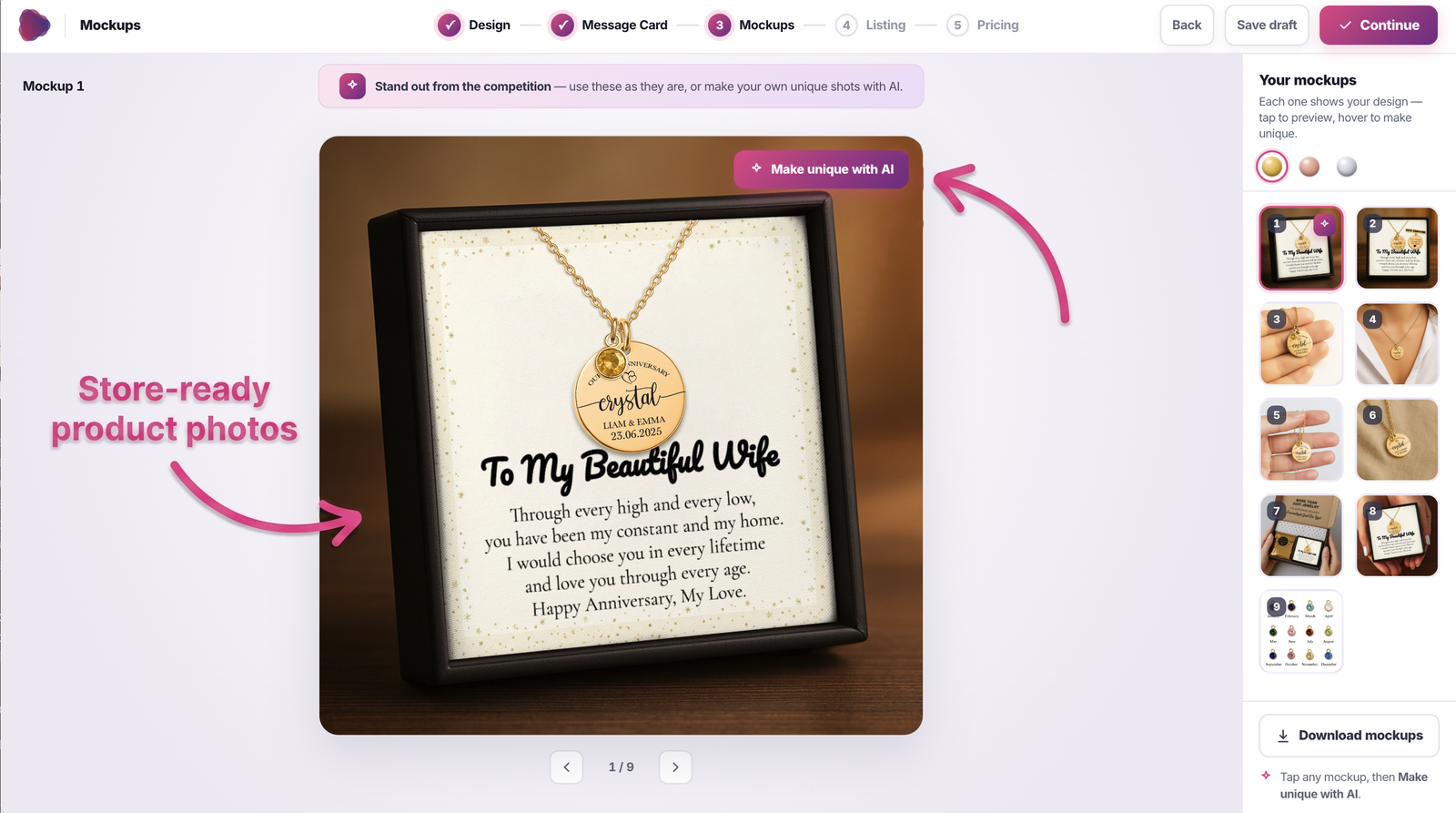
Mockups. Every product comes out with store-ready photos in all three platings, styled like a studio shoot. Use them as they are, or click Make Unique with AI to reimagine the scene while your design stays exactly as it is.
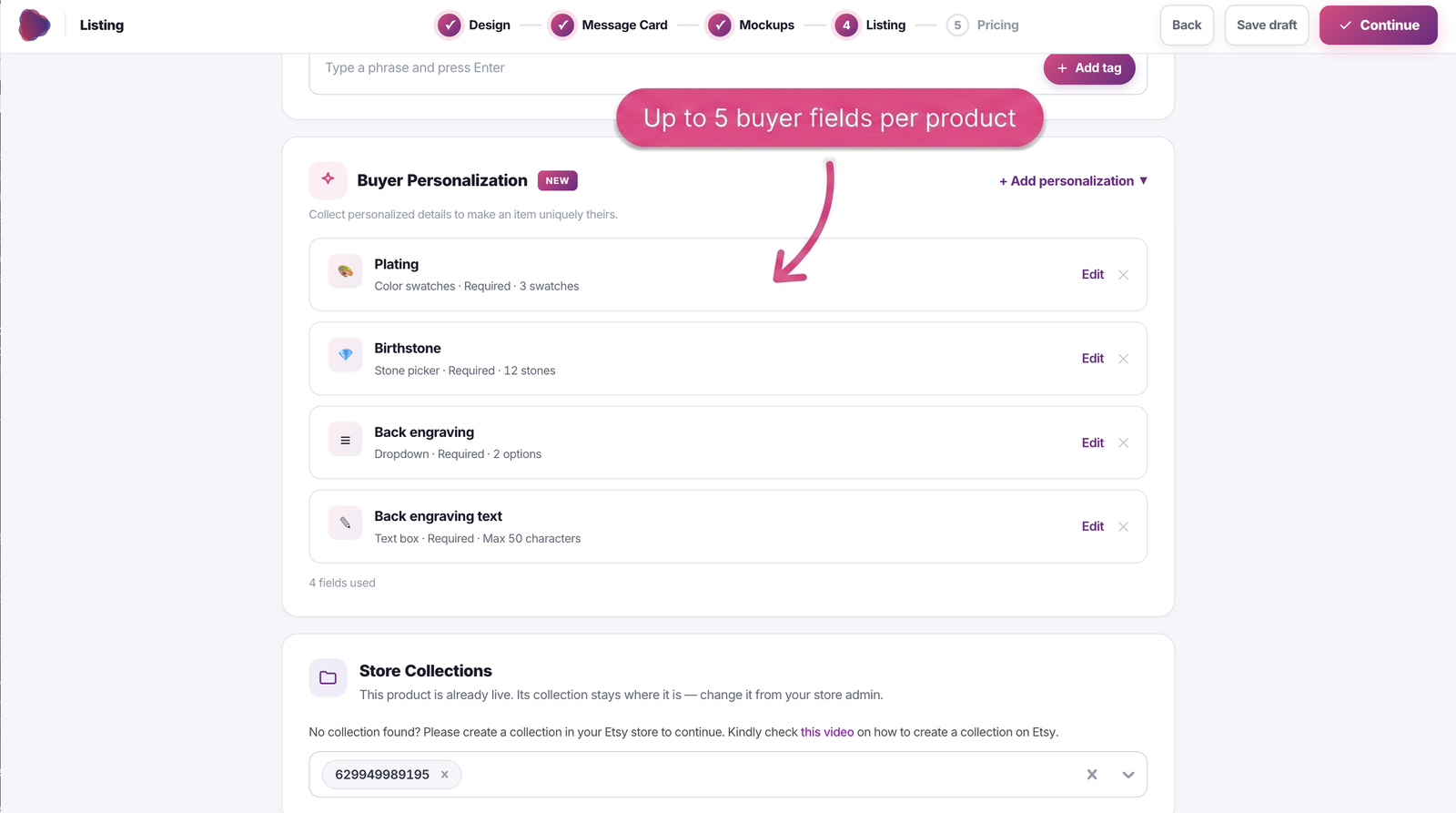
Listing. This is where you write the title, description, and tags, with help from the AI listing optimizer (more on that below), and where you set up your buyer personalization fields.
Pricing. The last step is a live profit calculator: costs, shipping, profit, and margin update as you type, in your store's currency, with a recommended price for every product. When the numbers look right, you publish.
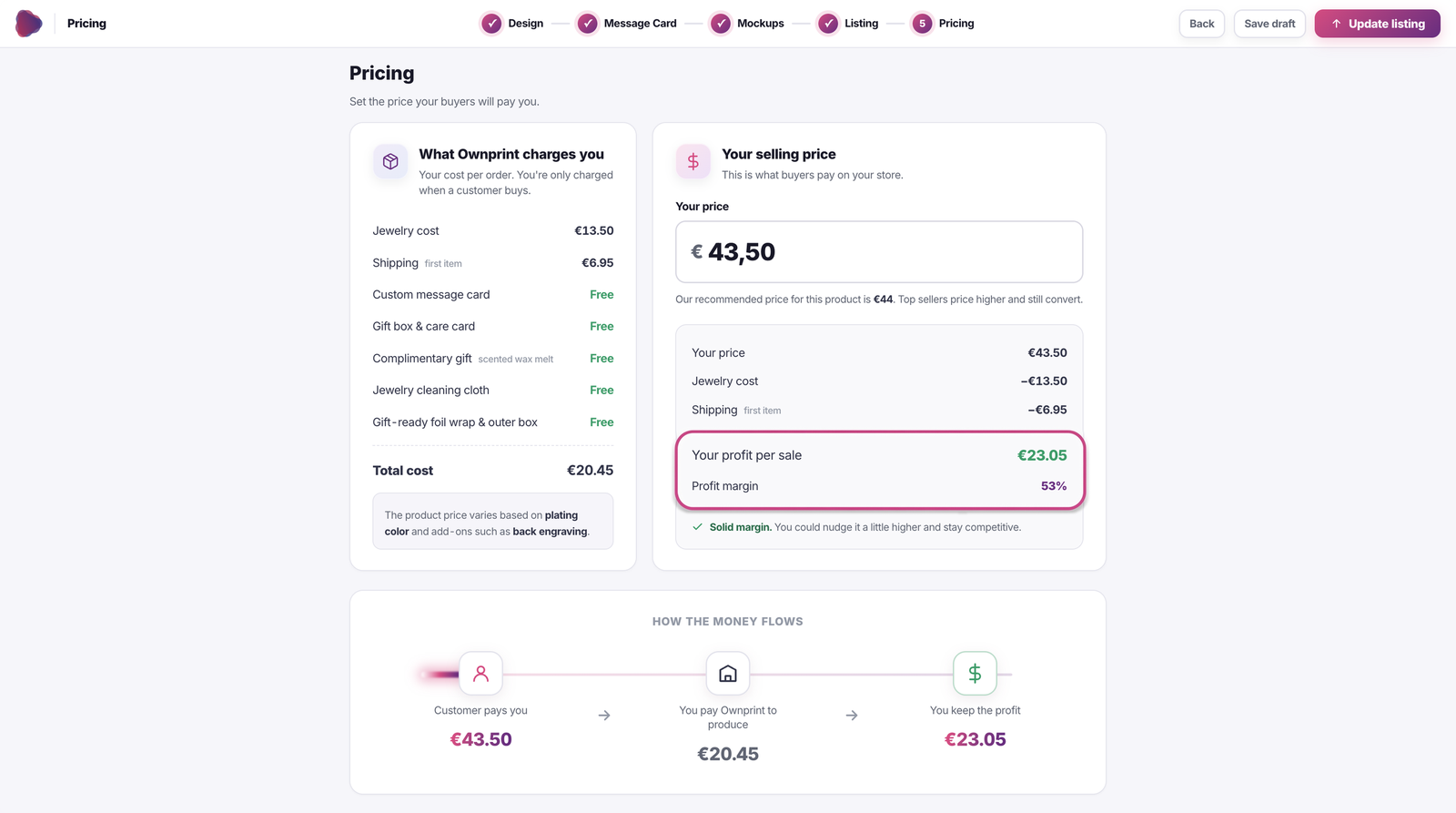
And your work is never lost. Everything auto-saves to the My Products page: published products with a direct link to the live listing, works in progress, and drafts. You can re-open and update a published listing, and clone any product as the starting point for the next one.

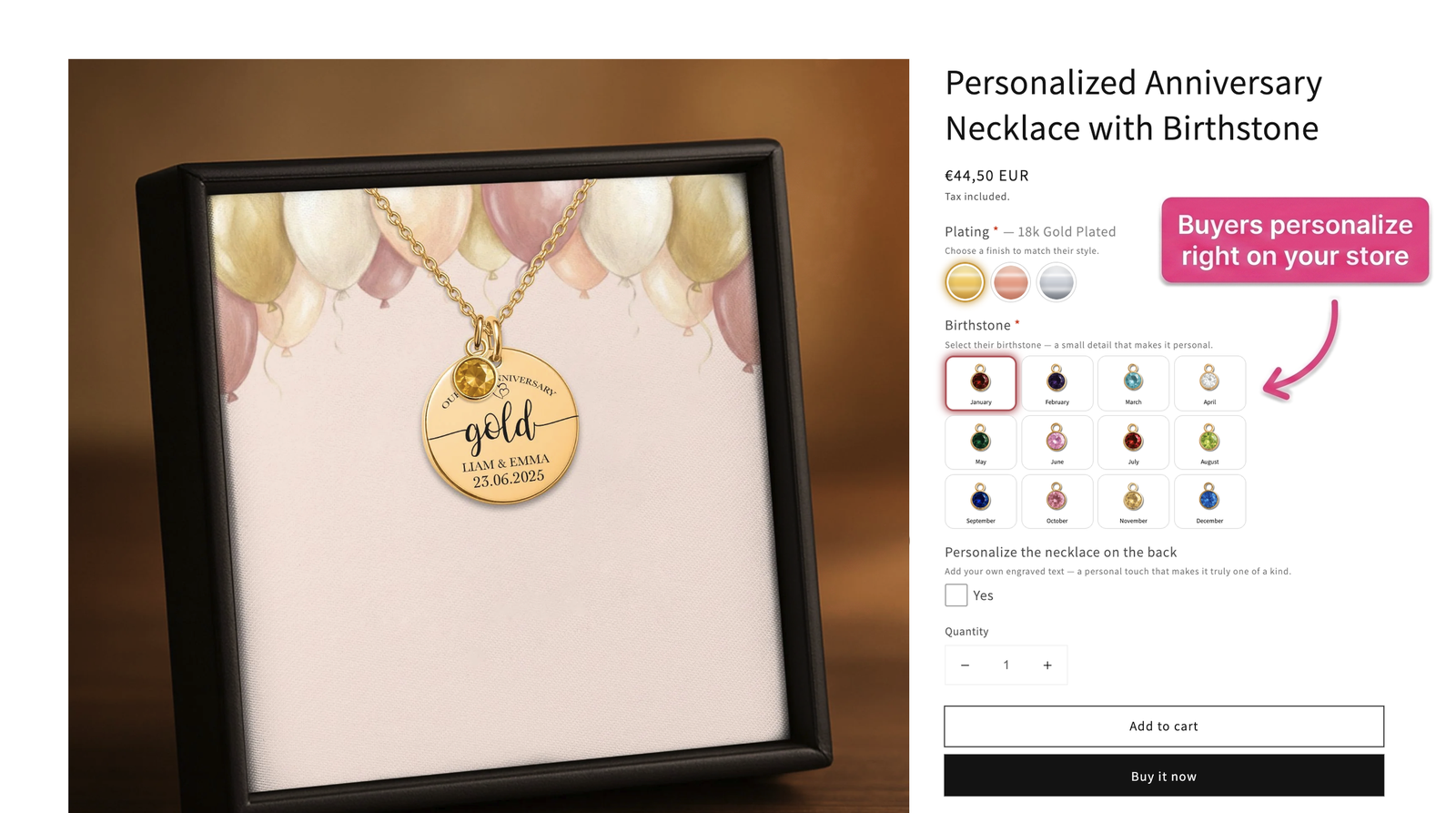
Personalized jewelry sells because buyers can make it theirs, so we built that right into your storefront. You define up to 5 fields per product: a text field with a character limit, a dropdown, or a photo upload.
On Etsy, the fields are included in your listing automatically. On Shopify, one click adds our personalization block to your theme: plating swatches with real metal photos, a birthstone picker, back engraving with live price updates, and photo upload. The personalization block is available in 10 languages, and the right one is selected automatically based on your theme's language. Every personalization detail your buyer gives syncs straight to the production order by itself, nothing to copy over.
And the best part: there's no third-party personalization app to install and no extra subscription to pay. It's all built in, for free.
You can see exactly how to set it up in our short guides: here for Shopify, and here for Etsy.
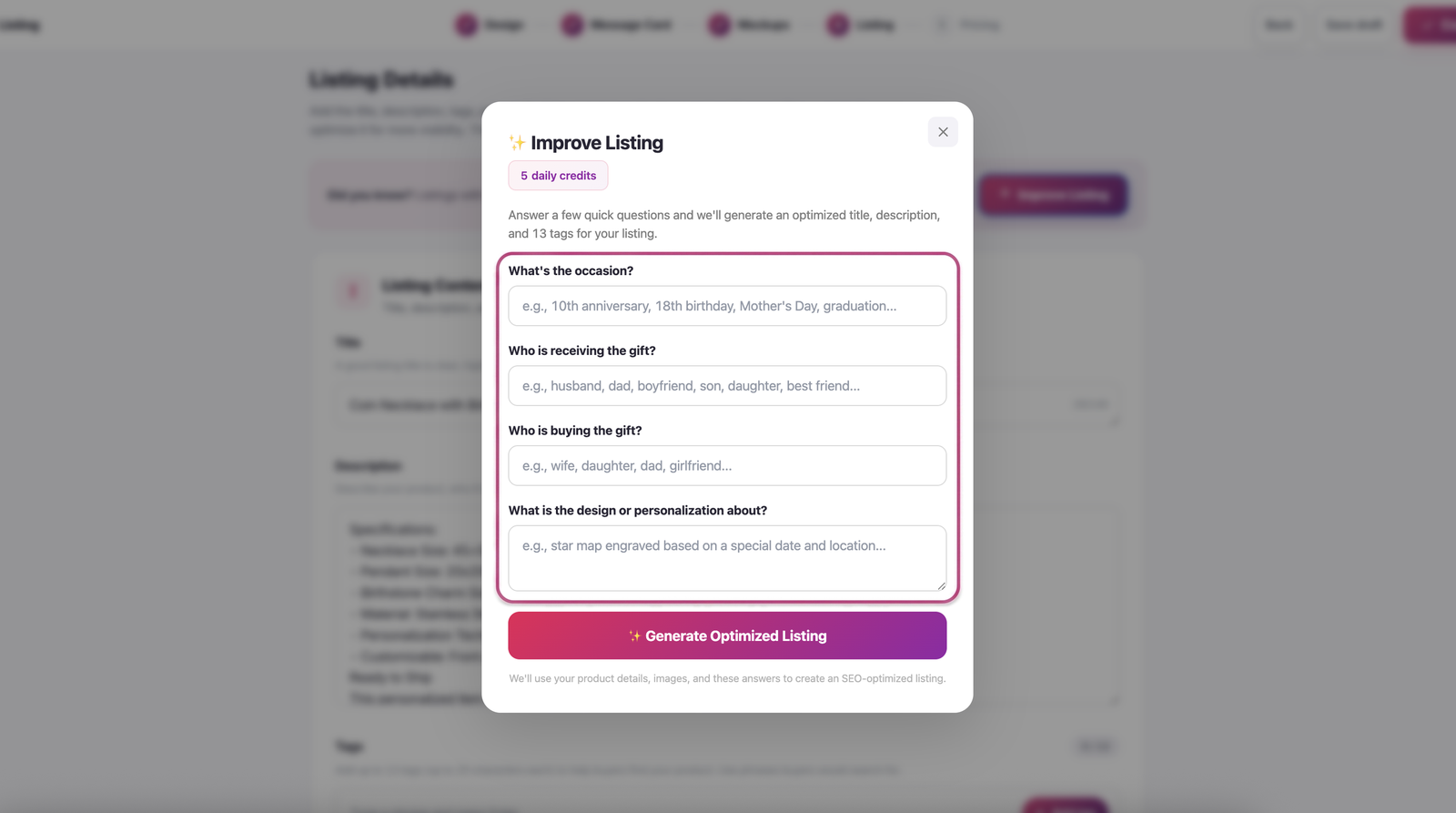
Etsy is a search engine, so your listings have to show up when buyers search. The AI Listing Optimizer asks you four questions and writes a search-optimized title, description, and all 13 tags from real buyer search terms. And it does its best work when you know your audience: who you're selling to, and what moment they're buying for. Give it that, and it turns your answers into listings that reach the right buyers.
This is where working with an actual print on demand supplier shows: we don't route your orders to third-party print shops, we produce everything ourselves.
The platform itself costs nothing to use. There's no subscription and no monthly fee; you only pay for the orders we produce for you. The order of events matters here: your customer orders and pays you first, and only then do you pay us the base cost to produce and ship it. You're never out of pocket. And the base costs are simple:
In dollars, that's roughly $12 to $20 per piece, and the app shows every price in your own currency, with 24 currencies supported. We sell in USD, EUR, GBP, and 21 more. Every number, shipping included, lives on our pricing page.
Billing settles in EUR with automatic card conversion, so you don't need a European bank account or a euro balance. You can pay per order with credit or debit card, PayPal, or iDEAL and Bancontact if you're selling from the Netherlands or Belgium. Or skip the payment step entirely: Ownprint Points work as a prepaid balance, 1 point = €1, they never expire, they can make an order fully free, and they also power the AI tools.
Every order ships gift-ready at no extra cost, exactly as you saw in the unboxing video above: kraft outer box, foil wrap, gift box, your message card, a handmade gold-foil-wrapped wax melt, a cleaning cloth, and a thank you card. Packaging paper and cardboard are FSC-certified.
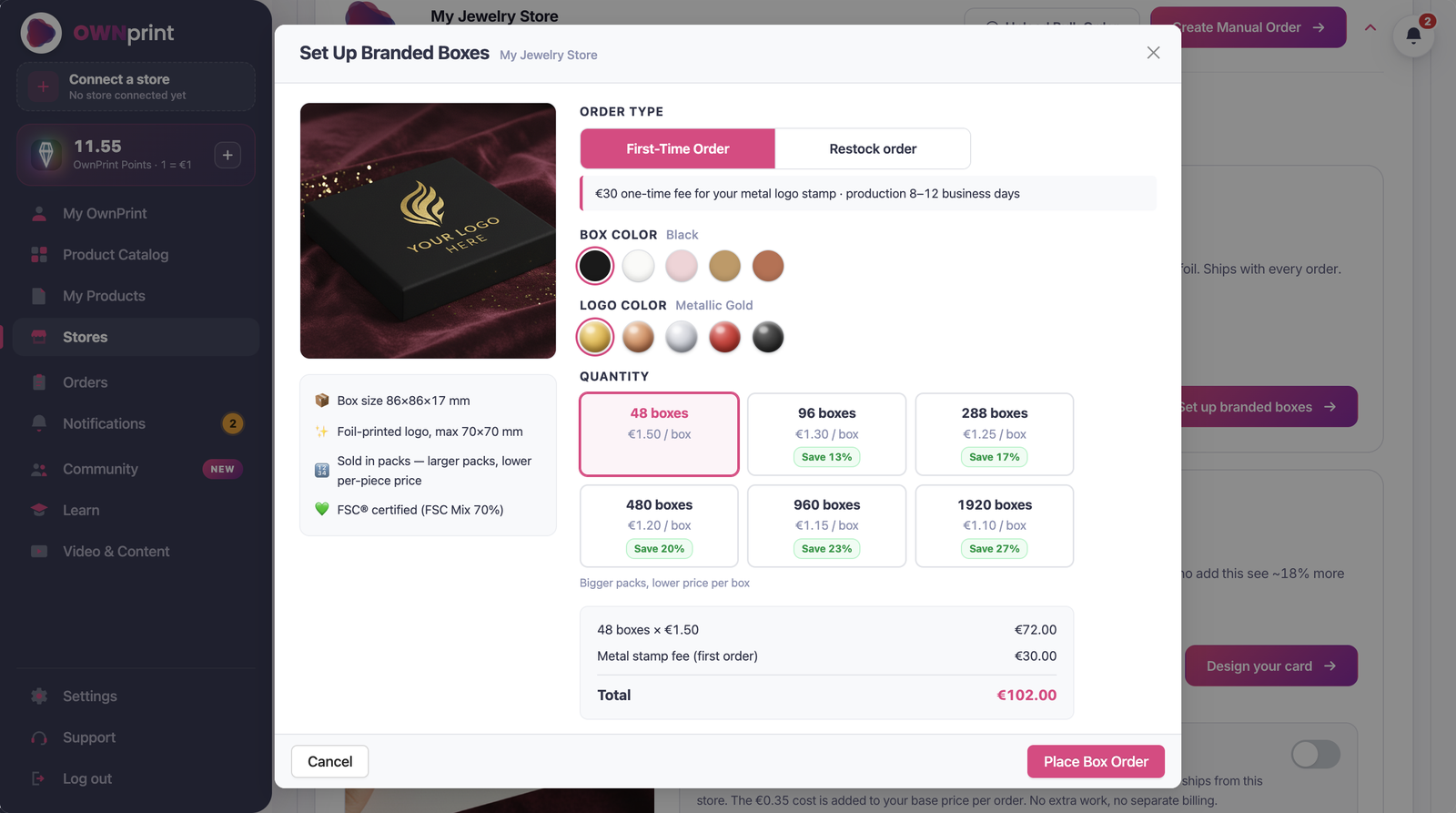
When you're ready to push your brand further, there are two upgrades. The first is custom thank you cards: upload your own design once, and from then on it ships inside every order you get. It costs €0.35 per order, billed together with the order itself, so there's nothing to pay upfront. And if a particular order calls for something special, you can customize the card for that order alone. The second upgrade is branded boxes: your logo hot-stamped in metallic foil, 5 box colors, 5 foil colors, from €1.10 per box (minimum 48, one-time €30 stamp fee). The boxes are stored with us as your stock and used automatically on every one of your orders.
Create your account, connect your print on demand jewelry store (or don't, manual orders work too), and publish your first product today. It costs nothing until you make a sale.